
No products in the cart.
Razer Huntsman Mini 60% Optica...
105,00 $
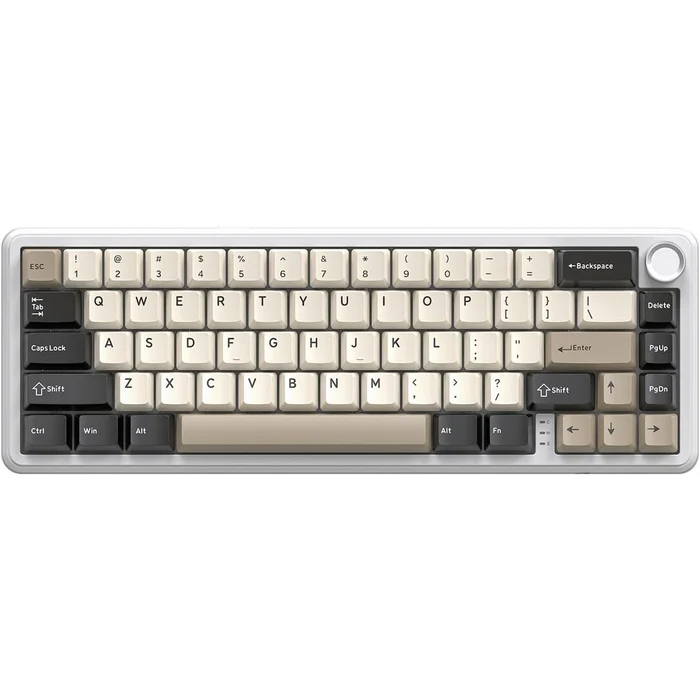
Attack Shark X66 Wireless Mechanical Gaming Keyboard – Strawberry Switches (Cheese White)
45,00 $
Ditch the cords and upgrade your desk setup with the premium Attack Shark X66 Wireless Gasket Mechanical Keyboard. Featuring a unique Cheese White colorway, side-printed PBT keycaps, ultra-smooth custom linear Strawberry Switches, and a space-saving 60% layout with a stabilizing gasket design, it offers the ultimate typing and gaming fluidity. Shop online at the best price in Lebanon!
SKU:
Shark X66
Categories: Keyboards & Mouses
Tags: 60 Percent Keyboard, Attack Shark Keyboard, Attack Shark X66, Bluetooth Gaming Keyboard, Buy Keyboard Online, Cheese White Keyboard, Gasket Mounted Keyboard, Hot Swap PCB RGB, PC Gaming Lebanon, Side Printed Keycaps, Strawberry Switches, Wireless Mechanical Keyboard
Share:
Attack Shark X66 Wireless Gasket Mechanical Keyboard – 60% Tri-Mode RGB Gaming Deck
Bring ultimate aesthetic elegance and typing acoustic perfection to your workspace with the high-performance Attack Shark X66 Wireless Gasket Mechanical Keyboard. Sporting an eye-catching, retro-modern Cheese White colorway, this space-saving 60% layout minimizes desktop footprint to maximize your tracking real estate for swift, expansive mouse swipes. Engineered with a premium structural gasket mount architecture and custom, factory-lubed linear Strawberry Switches, it delivers a soft, cushioned bottom-out and a deep, thuddy acoustic profile. Complete with stealthy side-printed PBT keycaps and full multi-device wireless versatility, it is a top-tier asset for competitive gamers, typists, and hardware enthusiasts across Lebanon looking for a luxury typing experience.
Key Features & Custom Mechanical Engineering:
- Ultra-Smooth Custom Strawberry Switches: Pre-installed with premium, factory-lubed custom linear Strawberry Switches that offer a lightweight, uniform travel path with zero scratching, providing lightning-fast double taps for gaming and effortless marathon typing.
- Premium Cushion-Mounted Gasket Design: Built with an advanced internal gasket suspension system paired with multi-layered sound dampening foam layers to absorb finger impact vibrations, evening out key pressure while completely eliminating harsh metallic ping noises.
- Stealthy Side-Printed Keycap Layout: Features a clean, completely smooth top-down look where all primary character legends and secondary shortcuts are printed on the front-facing side of the keys, looking highly sophisticated while remaining fully visible from a natural typing angle.
- Long-Lasting Structured PBT Keycaps: Forged from high-grade, wear-resistant PBT material that effortlessly resists finger oils, sweat, and surface fading over prolonged heavy use, keeping your keyboard textures feeling perfectly brand-new for years.
- Versatile Tri-Mode Connection Array: Offers absolute freedom of mobility—switch instantly between high-speed lag-free 2.4GHz Wireless for gaming, low-energy multi-device Bluetooth to sync across your PC, laptop, and tablet, or standard wired Type-C for fast battery charging.
- Universal Hot-Swappable Switch PCB: Outfitted with full 3-pin and 5-pin hot-swappable key matrices, allowing you to easily pull, swap, and mix different mechanical switch models on the fly without ever touching a soldering iron.
- Immersive South-Facing RGB Backlighting: Designed with south-facing LEDs that illuminate toward the typist for maximum visibility through the side-printed keycaps, loaded with multiple custom animated lighting presets and brightness scales.
- Extended Wireless Battery Life: Powered by an integrated high-capacity rechargeable battery pack that provides days of continuous play on a single cycle, automatically engaging power sleep states to preserve energy under local household conditions.
Care & Operating Instructions:
- Step 1: To connect cord-free, plug the bundled 2.4GHz USB wireless dongle into your PC and toggle the rear physical switch to the wireless position, or hold down the FN key combination to enter pairing mode to connect via Bluetooth.
- Step 2: Use the built-in function shortcut (FN) keys to easily trigger side-printed commands, adjust volume levels, change media tracks, or check your active battery indicators cleanly.
- Step 3: To hot-swap a switch, ensure the device is switched off, use the included structural keycap/switch puller tool to clamp the switch clips, pull vertically upward cleanly, and snap a new switch into the socket pins gently.
- Step 4: Disconnect the keyboard before executing maintenance. Clean the Cheese White frame regularly with compressed air, and use a dry microfiber cloth to keep it free from dust. Keep all liquids completely away from the electronic components.
Be the first to review “Attack Shark X66 Wireless Mechanical Gaming Keyboard – Strawberry Switches (Cheese White)” Cancel reply
Related products

ATTACK SHARK X68 HE Rapid Trigger Gaming Keyboard – Magnetic Switches (Black)
Rated 0 out of 5
45,00 $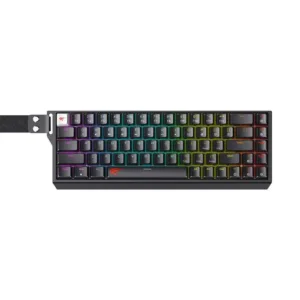
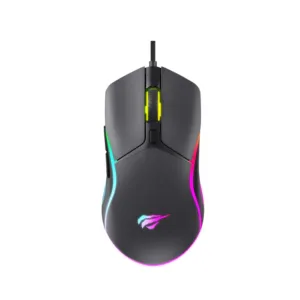

Logitech G102 LIGHTSYNC RGB Gaming Mouse – Customizable 8,000 DPI Pointer (Black)
Rated 0 out of 5
33,00 $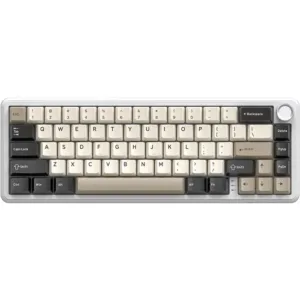 Attack Shark X66 Wireless Mech...
 45,00 $
Add to cart
Reviews
There are no reviews yet.